In short
- 3D lets the customer rotate and inspect the product. AR places it in the customer’s own room via the phone camera.
- AR in e-commerce works in the browser without an app: iPhone uses Apple’s AR Quick Look and Android uses Google’s Scene Viewer.
- AR adds the most value for products where size and placement are uncertain, such as furniture, lighting and equipment.
Contents
The difference between 3D and AR
A 3D view shows the product on the screen. The customer can rotate, zoom and see details from every angle, and in a configurator the model changes as the customer chooses. AR, augmented reality, takes the same model and places it in the camera view, so the customer sees the product in their own room at the right size.
They are built on the same foundation: a 3D model of the product. Anyone who has 3D has therefore usually done most of the work for AR too.
How AR works in the browser
The customer does not need an app. On iPhone and iPad the model opens in Apple’s AR Quick Look, which uses the USDZ file format. On Android it opens in Google’s Scene Viewer, which uses glTF or GLB. A common way to offer both from the same page is Google’s open model-viewer component, which shows the model in 3D on the page and launches the right AR viewer depending on the phone.
In practice, the model is therefore needed in two formats, or a tool that converts. Not all materials and effects survive the conversion, so the result needs to be checked on both platforms.
When do 3D and AR pay off?
| Product | 3D | AR |
|---|---|---|
| Furniture, lighting, interiors | Often | Often: size and style in the room |
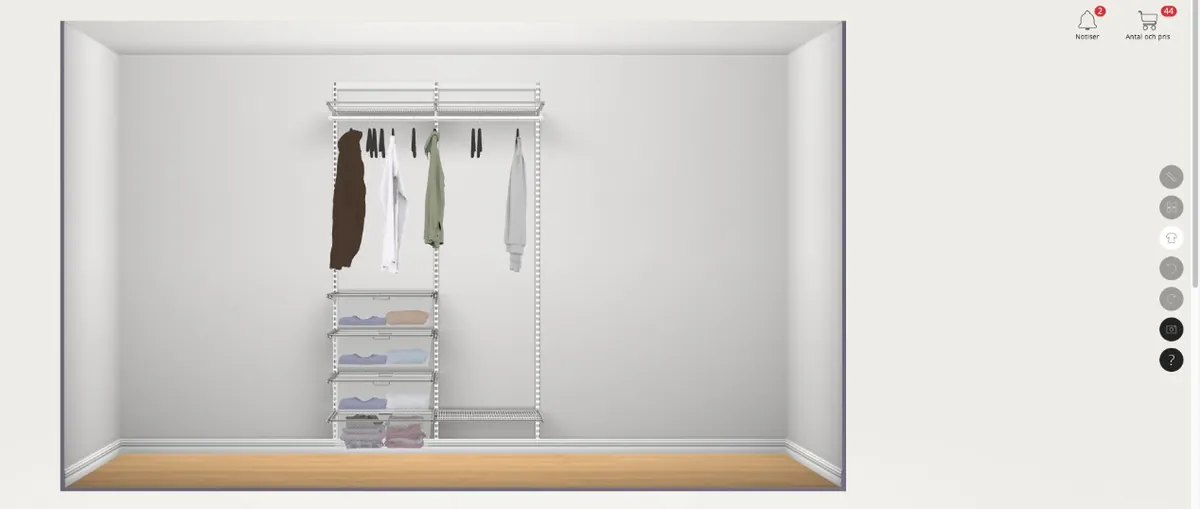
| Modular systems and shelving | Often: the customer builds it | Sometimes: when the size is uncertain |
| Machinery and equipment | Often: to explain the function | Sometimes: to see that it fits |
| Clothing and accessories | Sometimes: colour and details | Rarely: hard to show fit |
| Products with few variants | Rarely: images are enough | Rarely |
What it takes
- 3D models that are light enough for mobile. CAD files are a good start but almost always need to be simplified.
- Materials that look right in different light. Colour is what customers react to most often.
- The right scale. AR shows the product at real size, so the dimensions must be correct.
- A plan for updating the models when the range changes.
AR in a configurator
In a configurator, AR becomes more valuable, since the customer can see their particular combination in the room. That requires the model sent to the AR viewer to match the customer’s choices. With model-viewer the model can be changed on the page, but what opens in Scene Viewer on Android is reloaded from the original file, so variants need to be handled with separate files or generated on the server.
Read more about when 3D makes a difference in 3D configurator and about the choice between images and 3D in 2D or 3D in the configurator.
Frequently asked questions
Does the customer need to download an app for AR?
No. AR can be launched directly from the browser on most modern iPhone and Android phones.
Which file formats are needed for AR?
USDZ for Apple’s AR Quick Look and glTF or GLB for Android’s Scene Viewer. Tools such as model-viewer can generate USDZ automatically, but the result should be checked.
Does AR work on a computer?
No, AR requires a phone or tablet with a camera. On a computer the model is shown in 3D, often with a QR code to open AR on the phone.